


Waist-up, facing forward
The arms have to be in the picture at the start. If the frame cuts at the elbow, the model has to invent the rest of your arm.
From one photo, in seven seconds.
Underlying model: seedance-2-5. Outputs are AI-generated. Review accuracy and usage rights before use.
Your result will appear here. You can leave this page and return later.
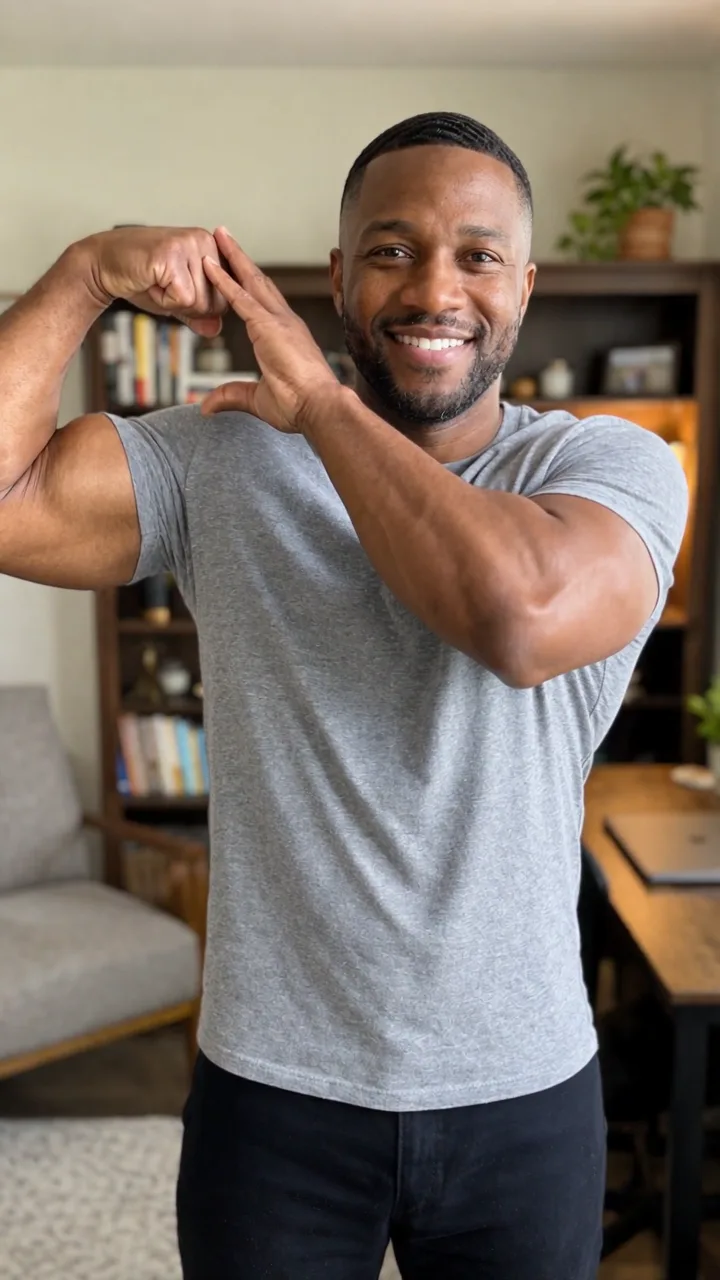
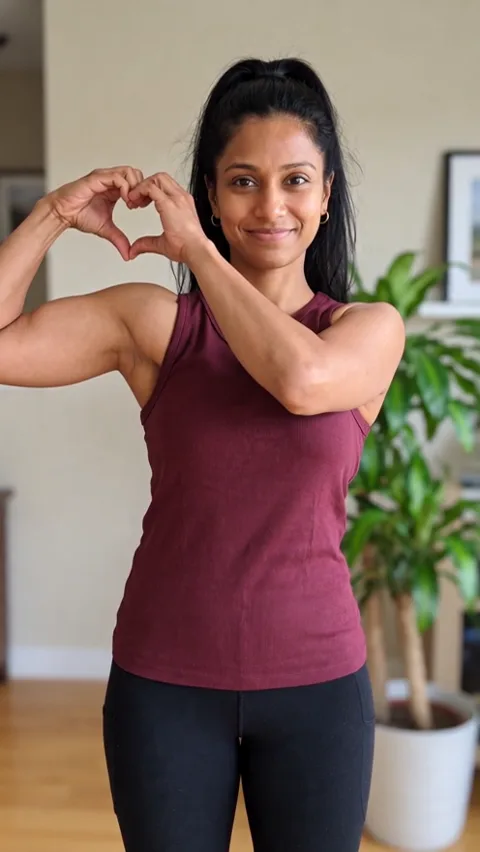
This is the bicep heart: one arm flexed, the other hand up with its fingertips on the raised fist, a seven second video. Upload a photo of yourself and the whole thing is generated in your own clothes, in your own room, with your own face.
Three steps, about two minutes, and no editing at any point.
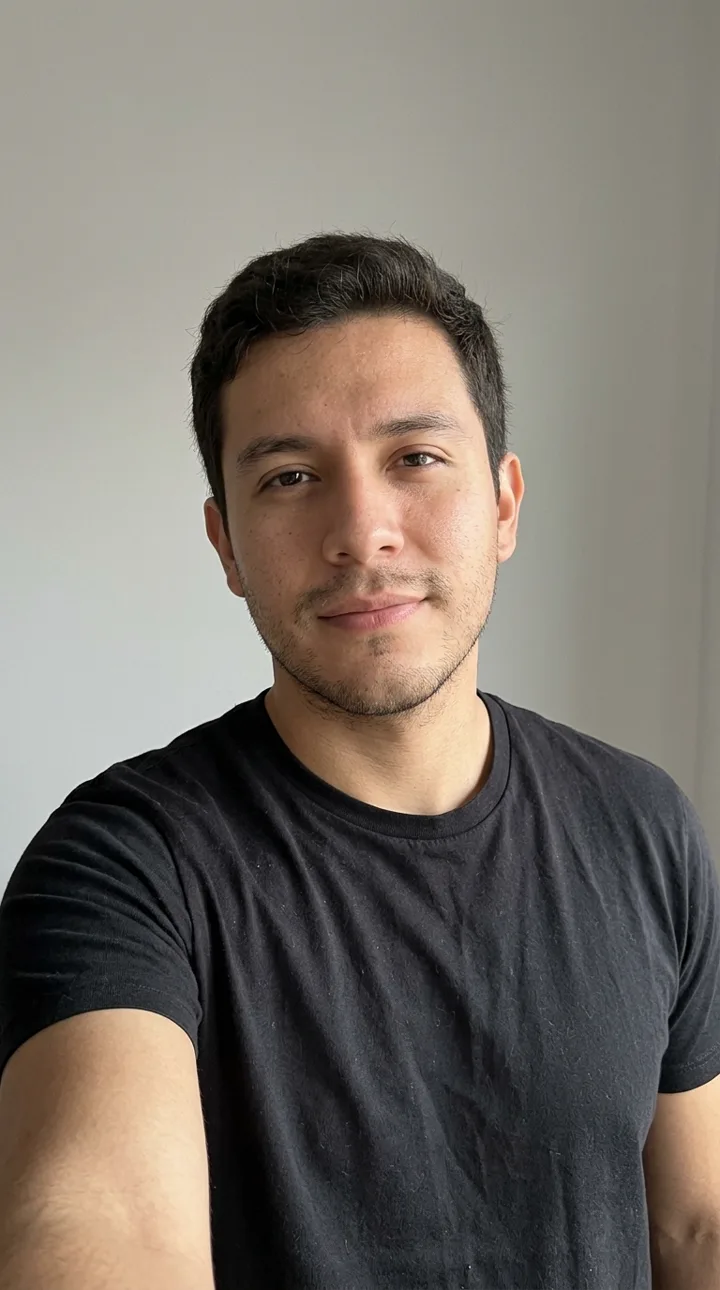
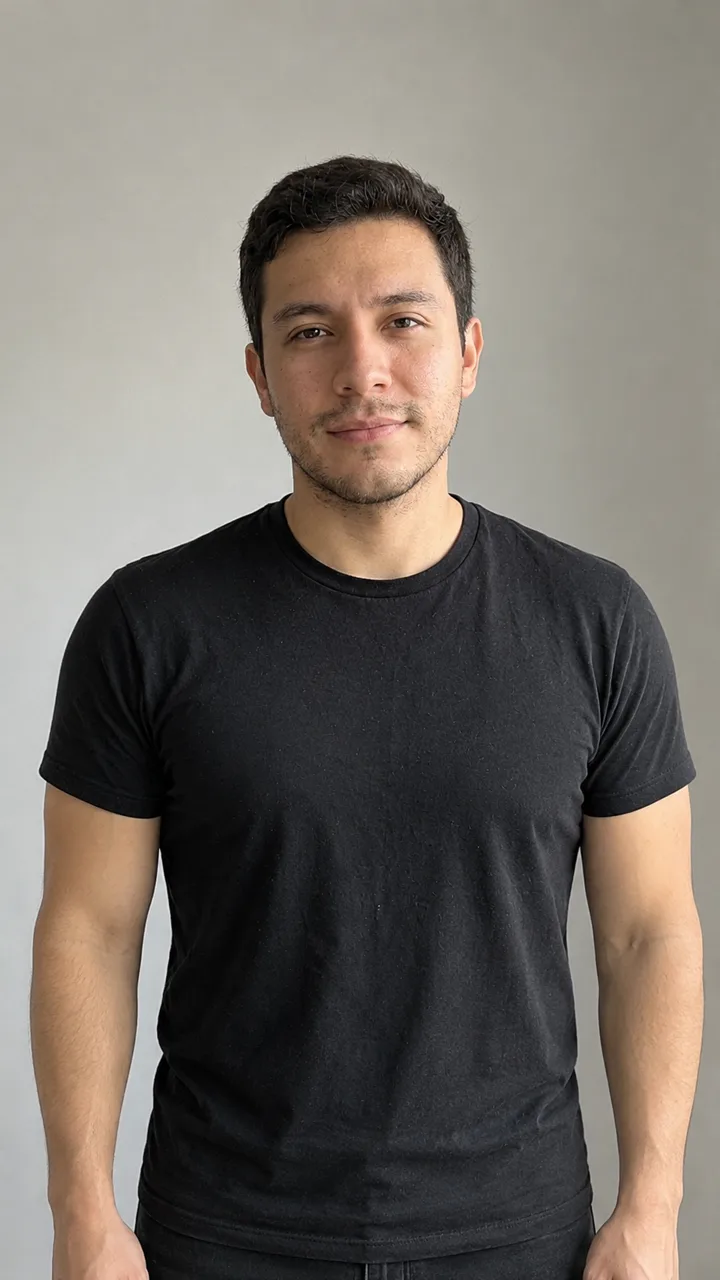
Waist-up, facing the camera, both arms in frame. A mirror selfie works, a group photo does not. The tool needs one adult, alone.
Tick that the photo is yours and that you are over eighteen, then press generate. The cost is one credit and it is shown before anything runs.
Your seven second vertical video lands in your account. Download it, drop it into TikTok or Reels, and add the trending sound inside the app.
Every clip here is generated from a photo of a fictional adult made for this page. Same prompt, different people, so you can see how the pose holds up on different bodies, clothes and rooms.
One of the examples started as a plain head-and-shoulders selfie. The tool first turns the photo into a clean 9:16 waist-up opening frame, then animates it, so you do not need a studio, a tripod, or a friend to film you.
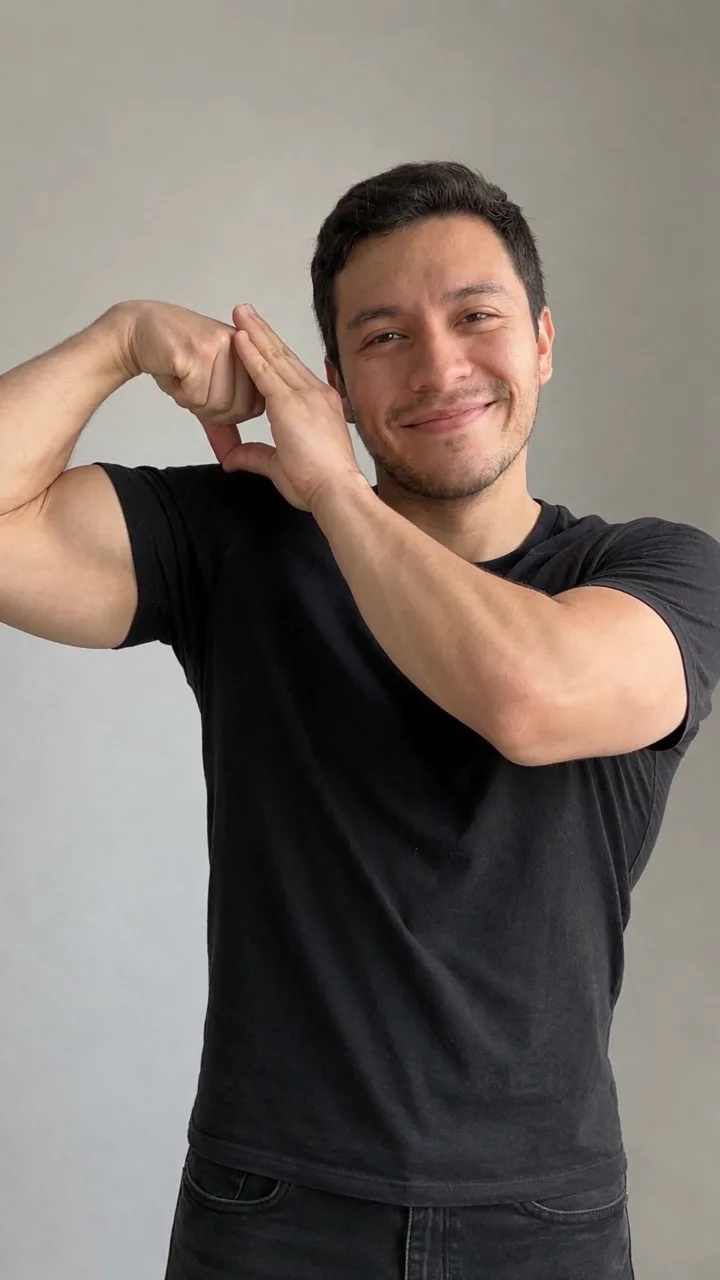
The bicep heart is a pose, not a filter. You raise one arm, bend the elbow and flex so the upper arm and forearm draw one side of a heart, fist beside your head at temple height. Then you bring your other hand up across your chest, fingers curled into a soft arc, until only the fingertips touch the knuckles of that fist, just above the flexed bicep. The two bent hands close the top of the heart beside your head and the flexed bicep sits below as the lower curve. It reads as a heart because of the outline the arms and hands make together, not because anything is drawn on top.
It travelled around TikTok in the last week of October 2026 and has not slowed down. @kavithageorge posted a seven second version on 1 November that passed five million views in its first week, and @iannabraham, @hannahinthegym, @brodyjboling and @montanaandryan posted their own takes within days. It spreads because it needs no skill and no gym: one arm and a camera is enough, and the reveal is legible even on a small phone screen.
The catch is the same for everybody. Filming yourself doing it is awkward. You need a camera at chest height, both arms in frame, and enough room to hold the pose for three seconds without laughing. Most people try twice, hate the angle and give up. That is the gap this tool fills: you upload the photo you already like and the pose is generated at the right framing, with the hold at the end, in one take.
What comes out is deliberately plain: vertical 9:16, seven seconds, no audio, no captions, no watermark. Add the trending sound yourself, because that is where the audio lives and because a silent export survives a trend that changes its track.
The photo matters more than anything you type. Five things make the difference between a clean result and a wasted credit.
The arms have to be in the picture at the start. If the frame cuts at the elbow, the model has to invent the rest of your arm.
No friends, no partner, no crowd in the background. The tool expects one adult and rejects anything else before generating.
Face a window rather than sitting with it behind you. Backlight turns your face into a silhouette and the result looks like somebody else.
The generated video keeps your outfit exactly as it is in the photo. Loose sleeves hide the flex, so a fitted top reads better.
Your background comes through. A tidy bedroom or a gym mirror is fine; a messy table behind you will still be a messy table in the video.
One credit is one seven second video. Packs do not expire, there is no subscription, and a failed run is refunded automatically.
Try one
$9.90
1 video
Most popular
$19.90
3 videos · About $6.63 per video.
Best value
$39.90
8 videos · About $4.99 per video.
Checkout is handled by Waffo as merchant of record, so tax is calculated for your country at checkout.
Most videos are ready in one to three minutes. You can close the tab while it runs: the result is saved to your account and appears in your library when you come back.
A waist-up photo of you alone, facing the camera, both arms visible, with even light on your face. Mirror selfies are fine. Group photos, photos with your arms cut off and photos of somebody else are rejected.
Not yet. This tool is built for one adult human and checks for that before generating. A pet version is on the list but it is not available today.
Because the trend lives in the sound. The audio people use belongs to a specific track on TikTok and Instagram and has to be added inside the app. A silent export also stays usable when the trend changes its track.
If the video fails to generate, the credit returns to your balance automatically. If it generates but the pose is wrong, that run is spent; try a clearer photo with both arms visible, which is the usual cause.
Your photo is stored privately so the video can be generated and re-downloaded, and only your account can see either file. You can delete your assets from your library at any time.
Unused credit packs can be refunded within seven days of purchase. Credits already spent on a delivered video cannot be refunded, because the video is a finished digital product.
It is an AI-generated video made from your own photo, with consent confirmed at upload. The tool is designed to reject photos of other people, public figures and minors, and outputs are checked automatically before delivery.
One photo, seven seconds, and you are in on the trend. Make yours.
Make my bicep heart videoUpload one photo and see your own version of the trend in about two minutes.